iOS 27 Puts an AI Photo Editor in Every Pocket. Can You Still Tell?
In September, iOS 27 puts serious AI editing into the Photos app on hundreds of millions of iPhones. Removing a stranger from a shot, widening a frame the camera never captured, even moving the camera angle after the fact — all of it becomes a few taps in the default gallery app, no desktop software and no skill required.
The features are genuinely impressive. They also change something quietly important: the cost of producing a convincingly altered photo just dropped to zero. That is worth thinking about beyond the feature list.
What was actually announced
Apple announced iOS 27 at WWDC on June 8, 2026; it is in public beta now, with general release expected in September. For photos, three things matter most.
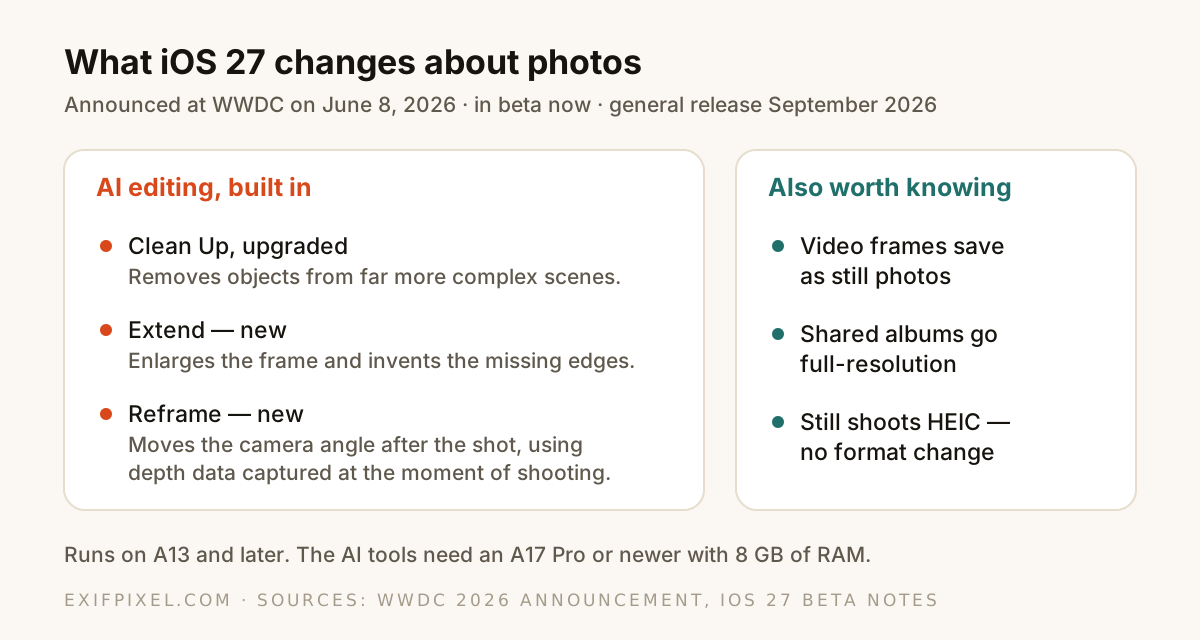
- Clean Up, upgraded. The object remover that arrived with Apple Intelligence gets stronger models and Fast, High Quality and Auto modes — it now handles far more complex scenes.
- Extend, new. Enlarges a photo beyond its original frame, with AI inventing the edges the camera never saw.
- Reframe, new. Changes the camera's angle after the shot, using depth information captured at the moment of shooting. Apple calls it Spatial Reframing.
Alongside the headline tools: any video frame can be saved as a still photo, and iCloud Shared Albums move to full-resolution sharing with contributions from Android and Windows. The AI tools need an A17 Pro chip or newer; the rest of iOS 27 runs back to the A13.
The part nobody is writing about
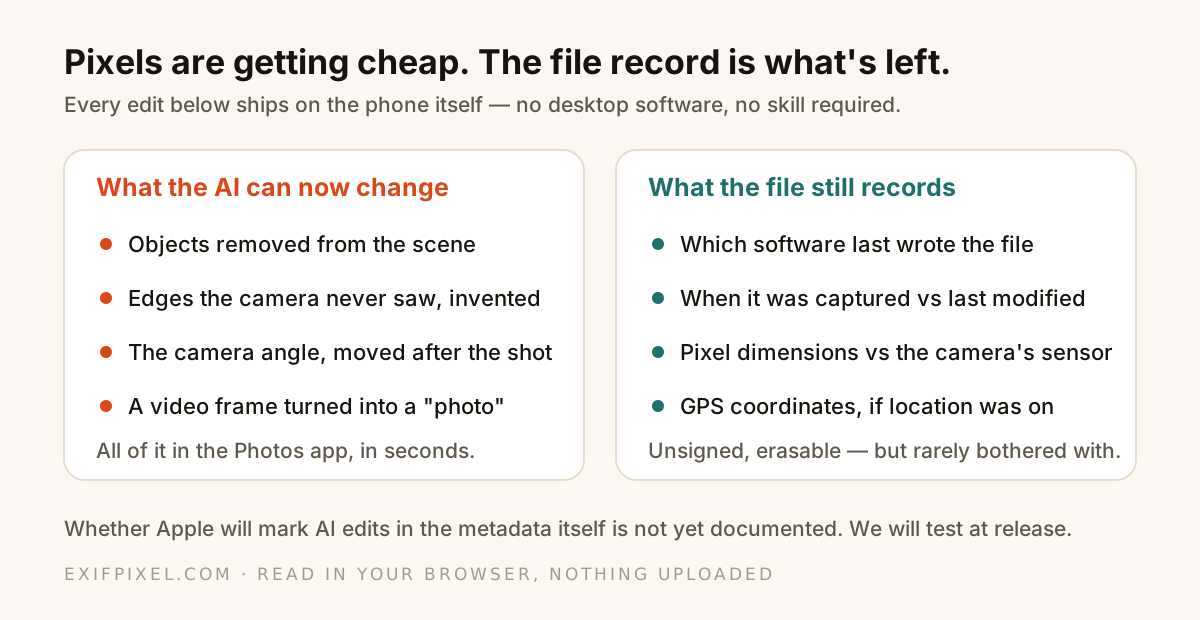
Every one of those edits changes pixels — and pixels were the thing people instinctively trusted. "The photo shows it" used to settle arguments. When the default gallery app can invent the edges of a frame and move the camera after the fact, looking closely at the picture stops being a verification method.
What is left is the file itself: the metadata a camera writes at capture and software rewrites when it saves. That record was always the faster check — now it is close to the only one an ordinary person can do.
What a file can still tell you
The signals are the same ones we walked through in our guide to spotting edited photos, and they apply unchanged to AI edits: a Software field that names an editor rather than a camera, a modified date long after the capture date, dimensions that no longer match the sensor, camera fields that thinned out on the way through an app.
Read a photo's actual record. Open the EXIF Viewer
A frame saved out of a video is a good example of the pattern to expect: like a screenshot, it never passed through a camera pipeline as a photo, so its metadata is thin — no exposure settings, no lens, no meaningful capture story. Thin metadata on a file that claims to be a photograph is exactly the kind of signal worth noticing.
The honest unknowns
Two questions matter and are not yet answered in anything Apple has published about the beta:
- Does Apple mark AI-edited photos in the file itself — a Content Credentials record, an EXIF note, anything a third party can read? Nothing documented so far says it does.
- What exactly survives a Clean Up or Reframe pass — the capture date, the GPS block, the original camera fields? Beta behavior can change before September, so any answer measured today could be stale next month.
We build metadata tools, so we will do what we did for every claim in this series: measure it. When iOS 27 ships, we will run its output through our own viewers and publish what an AI-edited iPhone photo actually carries — not what it is assumed to carry.
You do not have to wait for us to check a file you already have. C2PA is the standard behind Content Credentials, and if a photo carries one, it is readable today.
See whether a file carries C2PA provenance. Open the C2PA Viewer
What this means in practice
- For everyday photos, nothing changes. Cleaning a stranger out of a holiday picture is the use Apple designed for, and it harms no one.
- For anything used as evidence — marketplace listings, insurance claims, disputes — ask for the original file, not a re-share. Metadata does not survive screenshots and chat apps, and originals are where the record lives.
- A clean-looking picture is no longer meaningful on its own. A consistent file record — camera fields, matching dates, plausible dimensions — is now the more informative half.
- And your own privacy habits still apply: AI editing does not remove the GPS block. Check before you share, strip what you would not post.
Compare a claimed original against a known one. Open Compare EXIF